A while ago, I noticed that my comment-filtering plugin seemed to be acting up. After spending half a day fixing it, I ended up chatting with a friend and stumbled onto a rather entertaining idea.
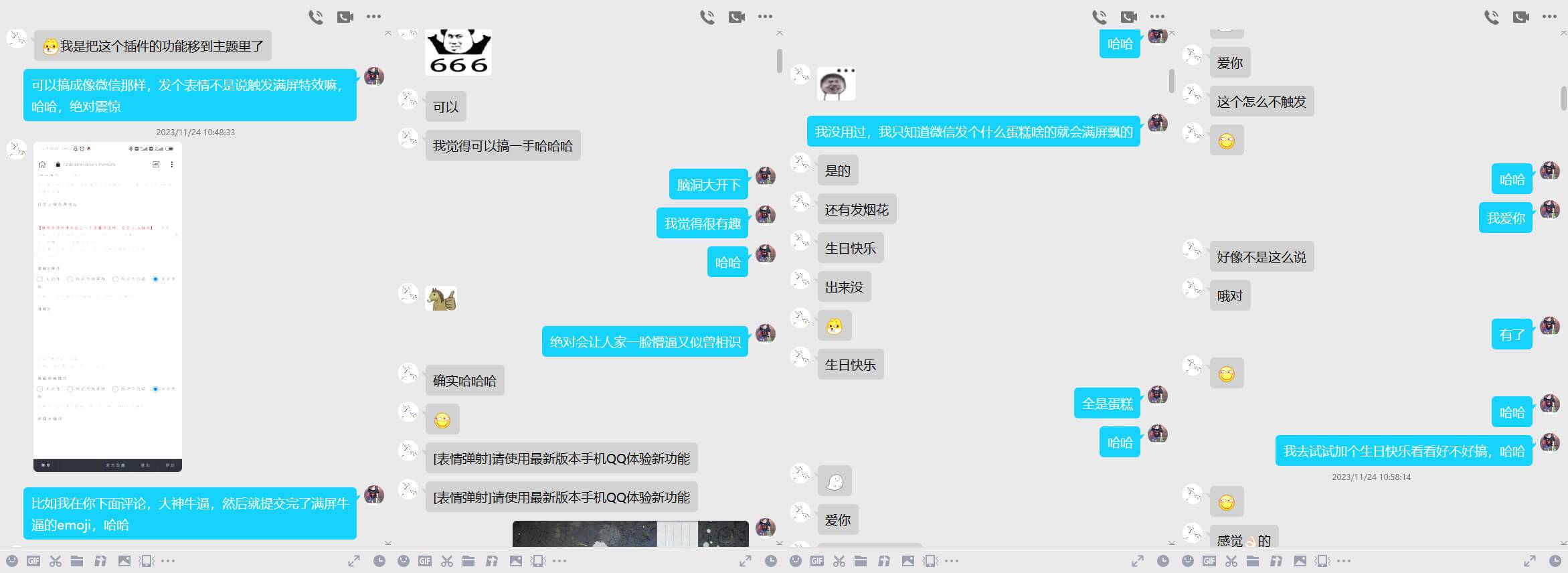
Imagine two grown men sending “I love you” back and forth, only to trigger a screen full of animated effects. Ridiculous, but also surprisingly fun.
The feature itself is simple: when someone posts a comment containing a particular keyword or emoji, the page displays a burst of falling emojis. There probably aren’t many people commenting on my blog, but that hardly makes the idea less amusing.
I originally considered writing the whole thing in PHP, but handling it there turned out to be inconvenient. JavaScript was a better fit, so after a weekend of experimenting, I put together a basic version. It is by no means guaranteed to be bug-free, but the main flow works.
Detecting emojis
The first step is identifying emojis in the submitted text. I tried several emoji-matching libraries and found that some of them failed to recognize certain emojis on mobile devices. The following regular expression worked with most of the examples I tested, although there may still be a few exceptions.
//emoji Unicode 编码
function hasEmoji(text) {
  var emojiRegex =
    /(?:[\u2700-\u27bf]|(?:\ud83c[\udde6-\uddff]){2}|[\ud800-\udbff][\udc00-\udfff]|[\u0023-\u0039]\ufe0f?\u20e3|\u3299|\u3297|\u303d|\u3030|\u24c2|\ud83c[\udd70-\udd71]|\ud83c[\udd7e-\udd7f]|\ud83c\udd8e|\ud83c[\udd91-\udd9a]|\ud83c[\udde6-\uddff]|\ude01|\ude02|\ude04|\ude05|\ude06|\ude07|\ude08|\ude09|\ude0a|\ude0b|\ude0c|\ude0d|\ude0f|\ude11|\ude13|\ude15|\ude17|\ude19|\ude1b|\ude1d|\ude1f|\ude21|\ude22|\ude24|\ude27|\ude29|\ude2b|\ude2d|\ude2e|\ude32|\ude33|\ude35|\ude36|\ude37|\ude38|\ude39|\ude3a|\ude3b|\ude42|\ude47|\ude49|\ude4b|\ude4d|\ude4e|\ude4f|\ude80|\ude81|\ude82|\ude84|\ude87|\ude88|\ude89|\ude8a|\ude8b|\ude8c|\ude8d|\ude8e|\ude91|\ude92|\ude93|\ude94|\ude95|\ude97|\ude99|\ude9a|\ude9b|\ude9d|\ude9f|\udea1|\udea2|\udea3|\udea5|\udea6|\udea7|\udea8|\udea9|\udeab|\udeac|\udead|\udeae|\udeaf|\udeb0|\udeb1|\udeb2|\udeb3|\udeb4|\udeb5|\udeb6|\udeb7|\udeb8|\udeb9|\udeba|\udebb|\udebc|\udebd|\udebe|\udebf|\udec0|\udec1|\udec2|\udec3|\udec4|\udec5|\udec6|\udec7|\udec8|\udec9|\udeca|\udecb|\udecd|\udece|\udecf|\uded0|\uded1|\uded2|\uded3|\uded4|\uded5|\uded6|\uded7|\uded8|\uded9|\udeda|\udedb|\udedc|\udedd|\udede|\udedf|\udee0|\udee1|\udee2|\udee3|\udee4|\udee5|\udee6|\udee7|\udee8|\udee9|\udeea|\udeeb|\udeec|\udeed|\udeee|\udeef|\udef0|\udef1|\udef2|\udef3|\udef4|\udef5|\udef6|\udef7|\udef8|\udef9|\udefa|\udefb|\udefc|\udefd|\udefe|\udf00|\udf01|\udf02|\udf03|\udf04|\udf05|\udf06|\udf07|\udf08|\udf09|\udf0a|\udf0b|\udf0c|\udf0d|\udf0e|\udf0f|\udf10|\udf11|\udf12|\udf13|\udf14|\udf15|\udf16|\udf17|\udf18|\udf19|\udf1a|\udf1b|\udf1c|\udf1d|\udf1e|\udf1f|\udf20|\udf21|\udf22|\udf23|\udf24|\udf25|\udf26|\udf27|\udf28|\udf29|\udf2a|\udf2b|\udf2c|\udf2d|\udf2e|\udf2f|\udf30|\udf31|\udf32|\udf33|\udf34|\udf35|\udf36|\udf37|\udf38|\udf39|\udf3a|\udf3b|\udf3c|\udf3d|\udf3e|\udf3f|\udf40|\udf41|\udf42|\udf43|\udf44|\udf45|\udf46|\udf47|\udf48|\udf49|\udf4a|\udf4b|\udf4c|\udf4d|\udf4e|\udf4f|\udf50|\udf51|\udf52|\udf53|\udf54|\udf55|\udf56|\udf57|\udf58|\udf59|\udf5a|\udf5b|\udf5c|\udf5d|\udf5e|\udf5f|\udf60|\udf61|\udf62|\udf63|\udf64|\udf65|\udf66|\udf67|\udf68|\udf69|\udf6a|\udf6b|\udf6c|\udf6d|\udf6e|\udf6f|\udf70|\udf71|\udf72|\udf73|\udf74|\udf75|\udf76|\udf77|\udf78|\udf79|\udf7a|\udf7b|\udf7c|\udf7d|\udf7e|\udf7f|\udf80|\udf81|\udf82|\udf83|\udf84|\udf85|\udf86|\udf87|\udf88|\udf89|\udf8a|\udf8b|\udf8c|\udf8d|\udf8e|\udf8f|\udf90|\udf91|\udf92|\udf93|\udf94|\udf95|\udf96|\udf97|\udf98|\udf99|\udf9a|\udf9b|\udf9c|\udf9d|\udf9e|\udf9f|\udfa0|\udfa1|\udfa2|\udfa3|\udfa4|\udfa5|\udfa6|\udfa7|\udfa8|\udfa9|\udfaa|\udfab|\udfac|\udfad|\udfae|\udfaf|\udfb0|\udfb1|\udfb2|\udfb3|\udfb4|\udfb5|\udfb6|\udfb7|\udfb8|\udfb9|\udfba|\udfbb|\udfbc|\udfbd|\udfbe|\udfbf|\udfc0|\udfc1|\udfc2|\udfc3|\udfc4|\udfc5|\udfc6|\udfc7|\udfc8|\udfc9|\udfca|\udfcb|\udfcc|\udfcd|\udfce|\udfcf|\udfd0|\udfd1|\udfd2|\udfd3|\udfd4|\udfd5|\udfd6|\udfd7|\udfd8|\udfd9|\udfda|\udfdb|\udfdc|\udfdd|\udfde|\udfdf|\udfe0|\udfe1|\udfe2|\udfe3|\udfe4|\udfe5|\udfe6|\udfe7|\udfe8|\udfe9|\udfea|\udfeb|\udfec|\udfed|\udfee|\udfef|\udff0|\udff1|\udff2|\udff3|\udff4|\udff5|\udff6|\udff7|\udff8|\udff9|\udffa|\udffb|\udffc|\udffd|\udffe|\udfff])/g;
  return text.match(emojiRegex);
}
Once emojis can be extracted, the next step is to create a div for each effect, place it on the page, and remove it automatically after a few seconds.
//检查文字是否含有 emoji,并添加 div
function checkForEmoji(commentText) {
  const emojis = hasEmoji(commentText);
  if (emojis && emojis.length > 0) {
    // 设置固定数量的 emoji,你也可以修改成随机数
    const fixedEmojiCount = 10;
    let delay = 0;
    for (let i = 0; i < fixedEmojiCount; i++) {
      setTimeout(() => {
        let container = document.createElement("div");
        container.className = "emoji-container";
        container.innerHTML = emojis[Math.floor(Math.random() * emojis.length)];
        // 找到 </body> 标签并将其添加到后面
        let bodyElement = document.querySelector("body");
        if (bodyElement) {
          bodyElement.appendChild(container);
        } else {
          document.body.appendChild(container);
        }
        // 设置随机的位置和大小
        container.style.right = `${Math.random() * (window.innerWidth - 100)}px`;
        container.style.top = `${Math.random() * (window.innerHeight - 100)}px`;
        container.style.width = `${Math.random() * 40 + 40}px`;
        container.style.height = `${Math.random() * 40 + 40}px`;
        container.style.lineHeight = `${Math.random() * 40 + 40}px`;
        container.style.fontSize = `${Math.random() * 40 + 40}px`;
      }, delay * 100); // 每个 emoji 的下落延迟时间
      delay++;
    }
    setTimeout(() => {
      Array.from(document.querySelectorAll(".emoji-container")).forEach(
        (container) => {
          container.remove();
        }
      );
    }, delay * 100 + 7000); // 等待所有 emoji 下落后再删除
  } else {
    // 如果没有找到 emoji,则移除可能存在的已显示的容器
    let existingContainer = document.querySelector(".emoji-container");
    if (existingContainer) {
      existingContainer.remove();
    }
  }
}
At this point, the basic behavior is already in place. The only thing missing is the styling. But the effect does not have to depend exclusively on emojis. A comment containing a particular phrase can trigger an animation as well.
A simple object can map trigger phrases to the emoji that should be displayed:
// 创建对象存储匹配词组和对应的 emoji
const keywordToEmoji = {
  生日快乐: "\u{1F382}", // 蛋糕 emoji
  恭喜发财: "\u{1F9E7}"  // 红包 emoji
  // 添加更多词组和对应 emoji
}
The mapping can then be traversed alongside the emoji detection logic:
// 检查输入文本中是否有匹配词组
for (const [keyword, emoji] of Object.entries(keywordToEmoji)) {
      if (commentText.includes(keyword)) {
        // 设置固定数量的 emoji
        const fixedEmojiCount = 10;
        for (let i = 0; i < fixedEmojiCount; i++) {
          setTimeout(() => {

          // 放入前面的 emoji 生成 div 函数,或者将生成 div 打包为一个函数直接调用

          }, delay * 100); // 每个 emoji 的下落延迟时间
          delay++;
        }
      }
}
That makes it possible to trigger the effect even when the comment contains no emoji at all. Finally, connect the function to the comment submission event, an Ajax callback, or a button event. For example, a Typecho comment event can be handled like this:
// 监听评论提交事件,typecho 示例:
document.addEventListener("typechoCommentPosted", function (e) {
  if (e.detail.status === "success") {
    checkForEmoji(e.detail.text);
  }
});
The CSS controls the position, size, stacking order, and animation. This version sends each emoji from above the viewport toward the bottom before fading it out.
.emoji-container{
  position: fixed;
  top: -20%;
  right: 50%;
  transform: translateX(50%);
  width: 40px;
  height: 40px;
  font-size:40px;
  border-radius: 50%;
  animation-name: riseUp;
  animation-duration: 8s;
  animation-fill-mode: both;
  z-index: 9999999;
}
@keyframes riseUp {
  0% { top: -20%; opacity: 0; }
  40% { top: 60%; opacity: 1; }
  80% { top: 90%; opacity: 0; }
  100% { top: 100%; opacity: 0; }
}
There are still a few cases worth considering in a real implementation: whether the comment contains only emojis, whether it includes both emojis and keywords, and whether it contains keywords without any emoji. My current approach is to choose several emojis at random when the comment contains multiple emojis, and to display both sets of effects when emojis and trigger phrases appear together.
That is essentially the whole idea. Add whatever CSS style fits your site, connect the function to the comment event, and a perfectly ordinary comment box can occasionally turn into a small explosion of emoji.