Internet Download Manager, better known as IDM, has long been one of the most trusted tools for downloading files on Windows. It supports resume and scheduled downloads, and its biggest appeal is speed: by splitting files into multiple parts and downloading them in parallel, it can boost transfer performance by up to five times.
In practice, that reputation is well deserved. IDM uses multi-threaded downloading to make large files finish sooner, and it can also detect downloadable video on web pages automatically. With browser integration in place, grabbing content from many sites becomes much more convenient. It is also widely used alongside scripts for faster downloads from certain cloud storage services, which is one reason it remains so popular among power users.
What makes IDM stand out
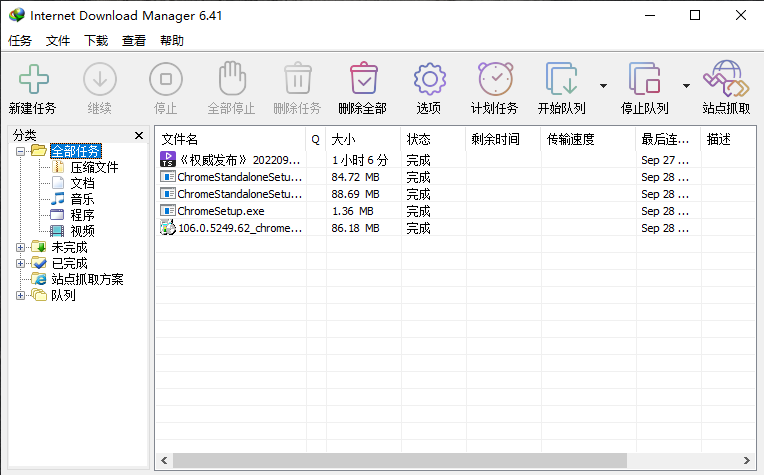
IDM includes an intelligent download accelerator built around dynamic file segmentation and secure multipart downloading. Unlike some download managers that rely on a more rigid approach, IDM can dynamically split files during the download process and reuse available connections without forcing extra connection and login stages. That design helps it maintain strong acceleration performance instead of front-loading the speed gains.
Another major advantage is how smoothly it works with browsers. IDM integrates with Google Chrome, Firefox, Microsoft Edge, Opera, Safari, Maxthon, and other mainstream browsers, allowing it to automatically take over supported downloads. It also provides browser extensions for Chrome, Firefox, Edge, Opera, and more.
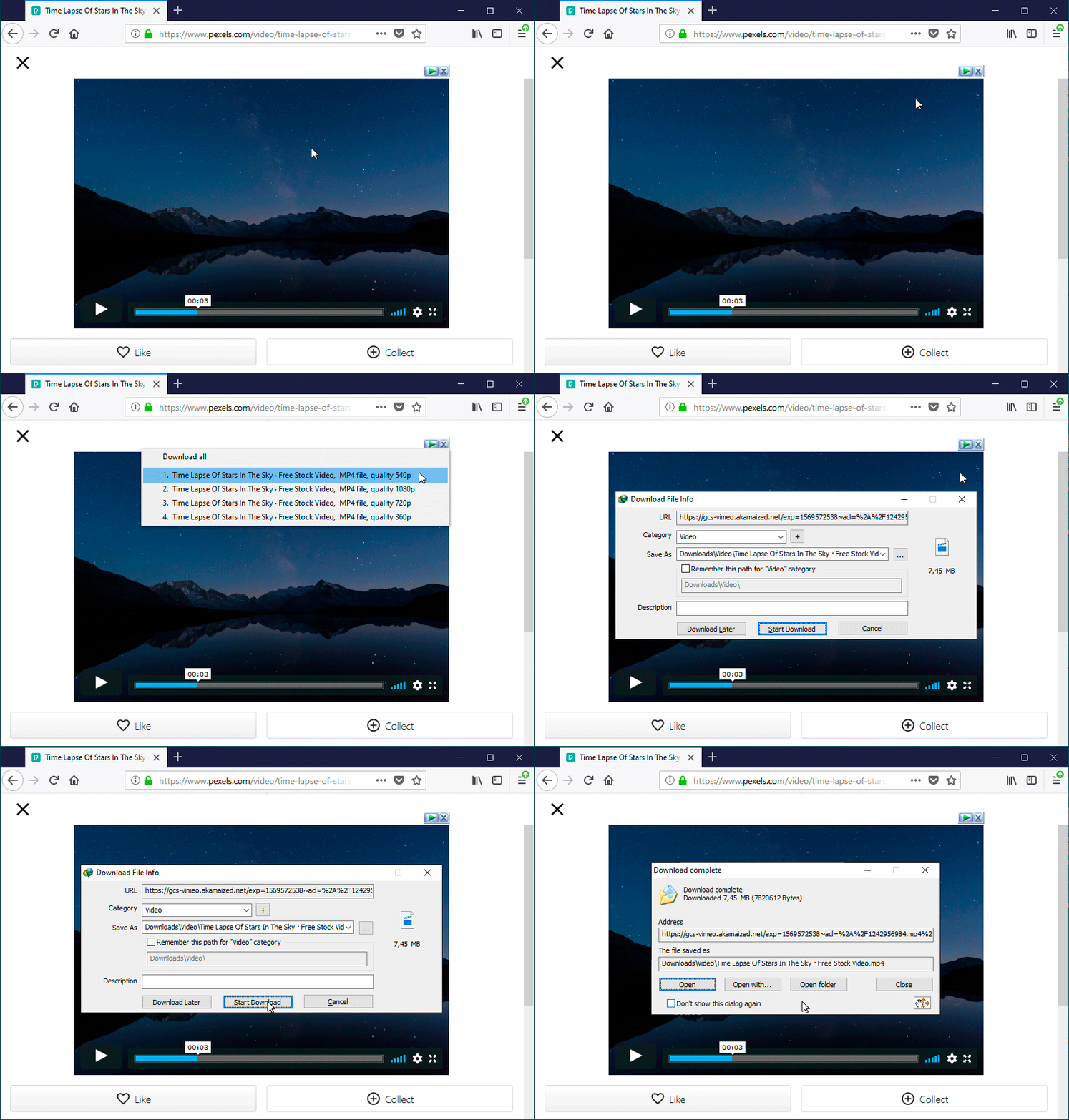
Once the IDM Integration Module extension is installed, downloading videos and other media from supported websites becomes much simpler. IDM can present a download panel directly in the browser, making it easy to save content from your favorite sites. It also supports one-click downloading for selected files. If you highlight multiple links with your mouse inside the browser, a Download with IDM button can appear automatically. If that button feels intrusive, it can be minimized in Options → General tab → Customize IDM Download Panels in browsers.
Supported protocols and download types
IDM supports HTTP, FTP, HTTPS, MMS, and Microsoft ISA. Beyond regular file downloads, it can also capture video from streaming websites and automatically handle many file types found across the web.
That broad support is part of why IDM has become such a classic on Windows. It is not just a speed booster for direct HTTP downloads; it also includes automatic link capture, download queues, site grabbing, server mapping, video and audio downloading, accelerated downloading from some overseas file-hosting services, and silent downloading.
Download
- Official website: www.internetdownloadmanager.com
For many Windows users, IDM remains the go-to tool when a browser's built-in downloader is not enough. Its combination of aggressive acceleration, browser integration, resumable downloads, and media capture still makes it one of the most capable download managers available.